Session & Token Policy
How long a signed-in session or an issued token stays valid, how "remember me" and trusted devices behave, and whether the OAuth device authorization grant is available — all Floor/Override settings, tightened by your organization within a ceiling the platform owner sets. See How LoginLink Works for the general model.
Console groups four related pages under one shared tab strip — Session, Tokens, Act As, and Signing Keys — since they're all "how does a signed-in session or credential behave" questions; Act As is covered separately in Delegated Access ("Act As") and Signing Keys in Organization Settings.
Session duration
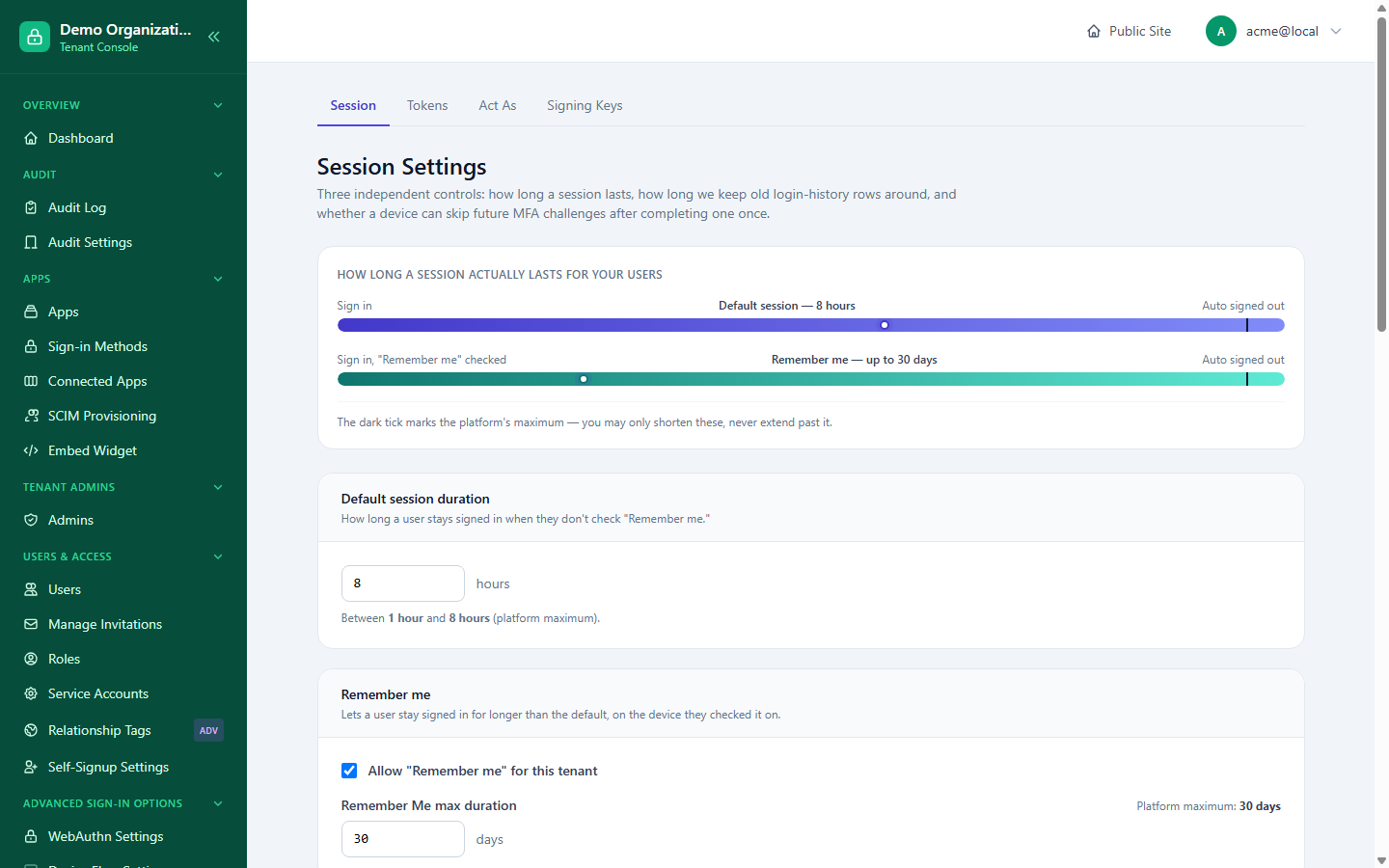
Console → Session Settings:
- Default session duration (hours) — capped at the platform's own ceiling.
- Remember Me — whether it's offered at all, and its max duration (days), each independently capped by the platform.
- Session history retention and sign-in history window — how long session records and the sign-in history shown to users are kept, each with its own platform-set maximum.
Trusted devices
Also on Session Settings: your organization's default for how long a device stays trusted (skipping a repeat MFA challenge) once a user marks it that way — 30 days by default, deliberately lower than the platform's own ceiling (typically 90 days) as a sensible starting point, not because the platform requires it. This is the tenant-wide default; a specific app can override it on its own connector configuration page.
Console → Device Trust gives you the aggregate, tenant-wide view this setting alone doesn't: every currently trusted device across every user, letting you spot the same device fingerprint trusted under multiple different accounts (a signal worth investigating) — and Untrust it individually, distinct from the more drastic session Revoke (which signs the device out entirely, not just removes its trusted status).
Token lifetimes
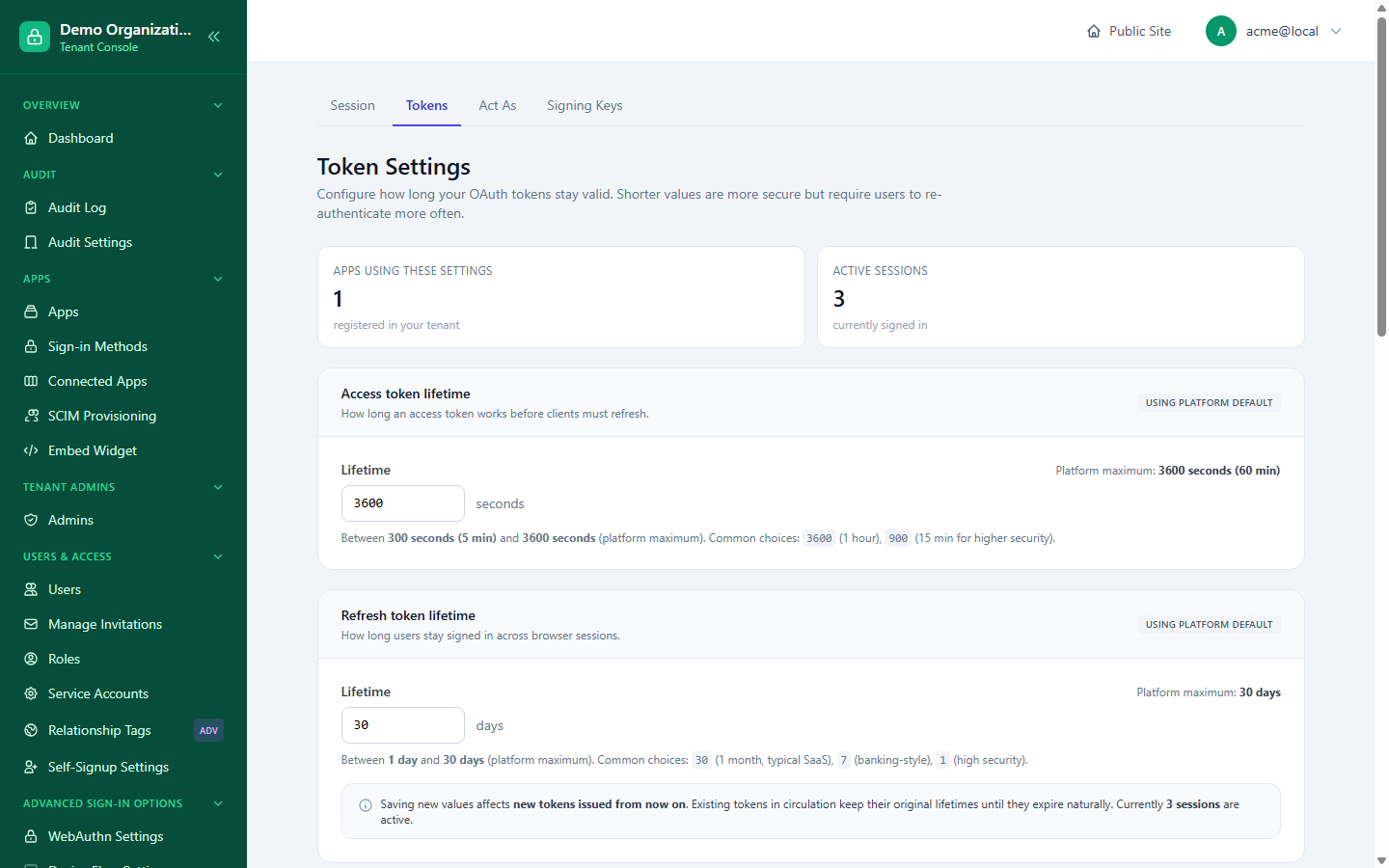
Console → Token Settings:
- Access token lifetime (seconds) and Refresh token lifetime (days) — each capped at the platform's own maximum; saving a value above it is rejected with the exact ceiling named in the error, not a vague failure.
- Always require consent — forces the OAuth consent screen on every authorization, even for a previously-approved app.
Saving new values only affects tokens issued from that point on — existing tokens already in circulation keep whatever lifetime they were issued with until they expire naturally, shown alongside a live count of currently active sessions.
Device Authorization Grant (device flow)
For sign-in on input-constrained devices (TVs, CLIs) via the OAuth device code flow:
- Console → Device Flow Settings is the tenant-wide on/off switch — only meaningful if the platform has device flow enabled at all; if the platform has it off, this toggle can't turn it on.
- An individual app still needs its own separate opt-in on its Edit page (see Apps & Connectors) — the tenant setting only controls whether that per-app checkbox can ever take effect, it doesn't enable the grant for every app automatically.
Related reading
- MFA & Recovery — trusted devices reduce how often MFA is asked for; this is where MFA itself is configured.
- Apps & Connectors — per-app device flow opt-in and connector-level trusted-device overrides.
- Management API — session/token/act-as policy is also exposed as a scriptable capability there.