Identifiers & Custom Fields
Two related but separate concerns: what forms of identity your organization accepts (Sign-in Identifiers), and what extra profile data you collect beyond that (Custom Fields).
Sign-in Identifiers
Console → Sign-in Identifiers controls which kinds of identifier a user in your organization can have — see Core Concepts for the identifier concept itself. Built-in types (email, mobile, username) can be configured but not deleted; you can add unlimited custom types (emp_id, badge_number, and so on) and delete those freely. The page header shows at-a-glance totals — how many types are configured, how many are enabled, and how many are custom beyond the three built-ins.
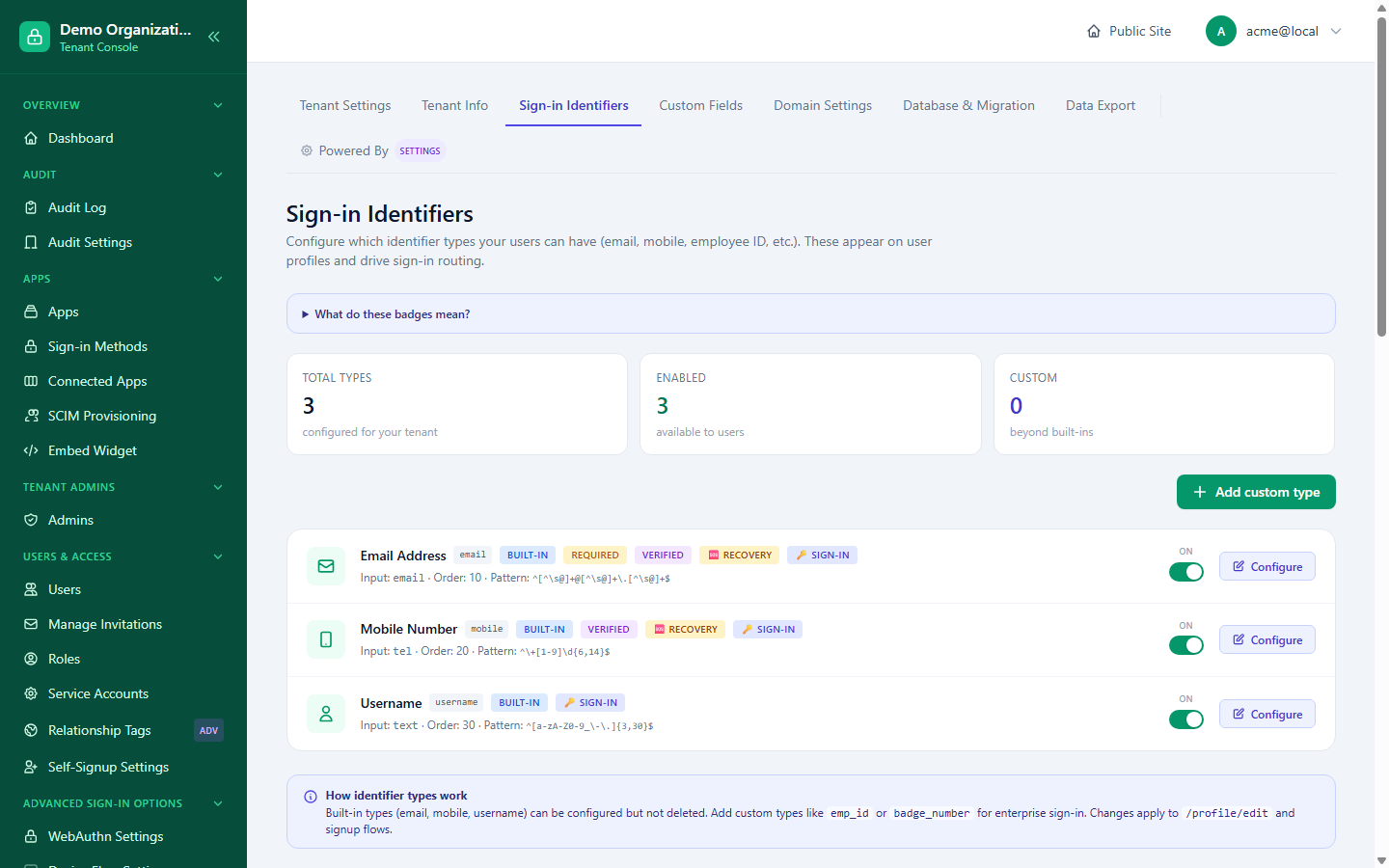
Per type, you control:
| Setting | Effect |
|---|---|
| Enabled / disabled | Hides the type without deleting any data already stored under it. |
| Required at signup | Whether a user must supply this identifier to create an account. |
| User-editable vs. admin-only | Whether the user can change it themselves from their profile, or only an admin can. |
| Verification required | Whether this identifier needs proof of ownership (an SMS code for mobile, a confirmation link for email) before it's trusted. |
| Validation pattern | A regular expression the value must match. |
| Display order | Where it appears on the profile-edit page relative to other identifiers. |
Changes apply to both the profile-edit page and signup flows immediately.
Custom Fields
Console → Custom Fields defines extra attributes beyond identifiers — descriptive data like a department, an internal employee ID, or a support contact address. Two tabs, one per entity:
- User attributes — descriptive fields on individual end users (age, department, t-shirt size, etc.), purely informational and with no effect on sign-in or routing; users edit their own values at
/profile/edit. This is also where the profile fields shown on an approval-required join request come from. - Tenant attributes — organization-level info shown on support/recovery pages (a support email, a mailing address). This page only defines what tenant fields exist; the actual values are filled in on Console → Tenant Info, not here — field definition and field value are deliberately separate concerns.
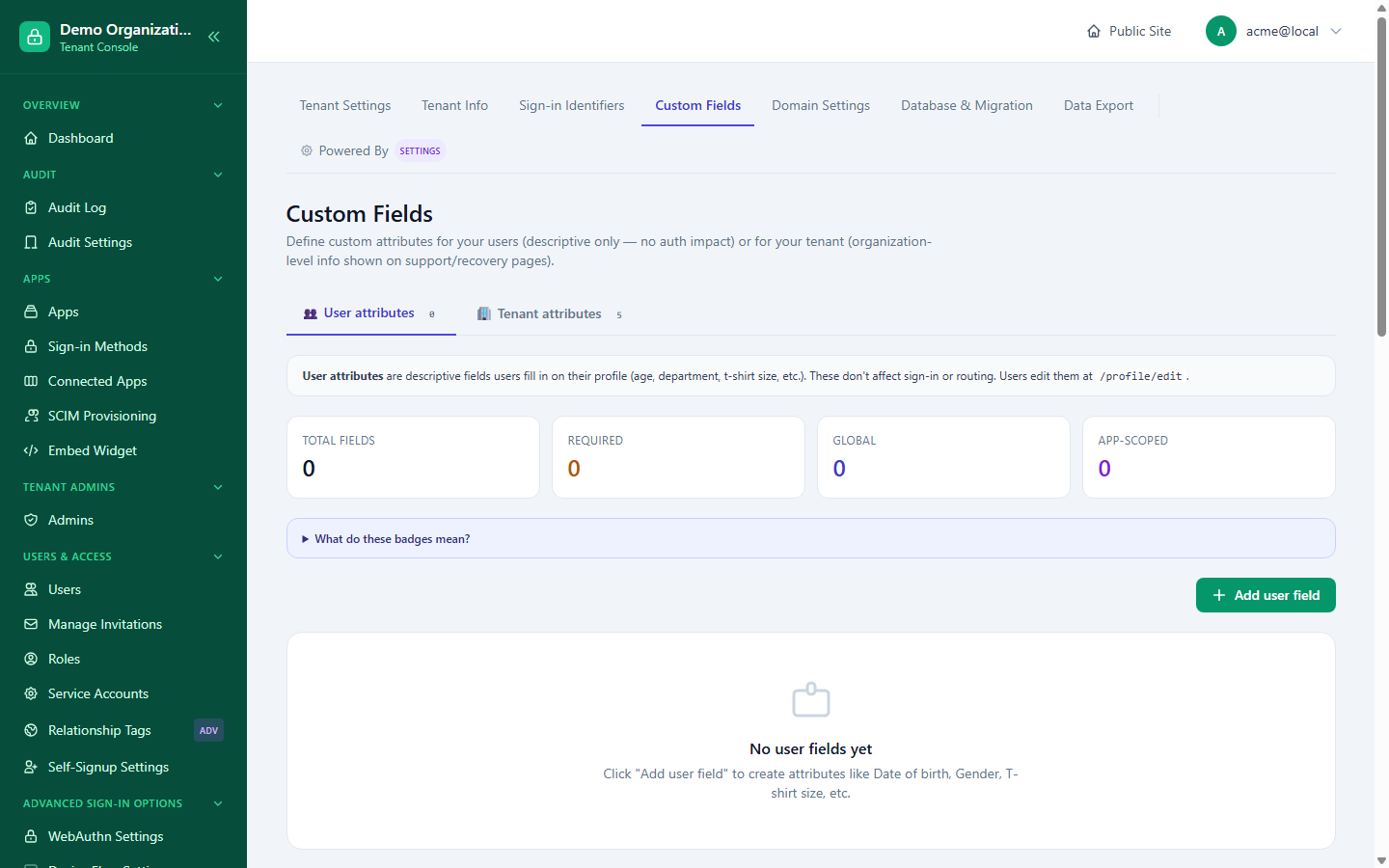
Each field definition includes:
- Field type (text and others), display label, placeholder, help text, default value, and an optional field group for organizing a long form into sections.
- Mandatory and PII flags — PII marks a field as sensitive for compliance/export purposes (see GDPR).
- Visibility — who can see the field's value (e.g. user-private vs. more broadly visible).
- Ask timing — when the field is collected (at signup, anytime afterward, etc.).
- Where it's shown — five independent placement flags: on the login page, on account-recovery flows, on support-contact surfaces, on error pages, and in email footers. A field can be relevant to any combination of these without being tied to a single page.
- OAuth-exposable — whether the field's value can be included in an issued token's claims for applications that request it.
A field can also be scoped to one specific app rather than applying tenant-wide, when it only makes sense in the context of a single application.
Related reading
- Core Concepts — the Users entity and how identifiers fit into it.
- Onboarding & Membership — where user-entity custom fields are actually collected from a real person (signup and join requests).
- GDPR — how PII-flagged fields interact with data export and erasure.