Advanced Sign-in Options
Three tenant-wide behavior toggles for specific sign-in mechanics, grouped under one Console sidebar section: WebAuthn Settings, Device Flow Settings, and Magic Link Cross-Device Settings.
WebAuthn / Passkey Settings
Console → WebAuthn Settings controls whether your users can sign in with a passkey instead of (or alongside) a password, and whether a passkey can serve as a second factor:
- Enable WebAuthn for this tenant — the master switch; off means no user sees a passkey option anywhere.
- Allow as passwordless primary login — a user with a passkey can sign in without a password at all.
- Allow as a second factor — a passkey can be used as step-up MFA after another factor.
- User verification — how strictly the authenticator confirms it's really the enrolled user (e.g. "Preferred — used when the device supports it"); this can only be strengthened relative to the platform's own floor, never weakened.
- Browser autofill convenience — lets a saved passkey appear as a native autofill suggestion on the email field.
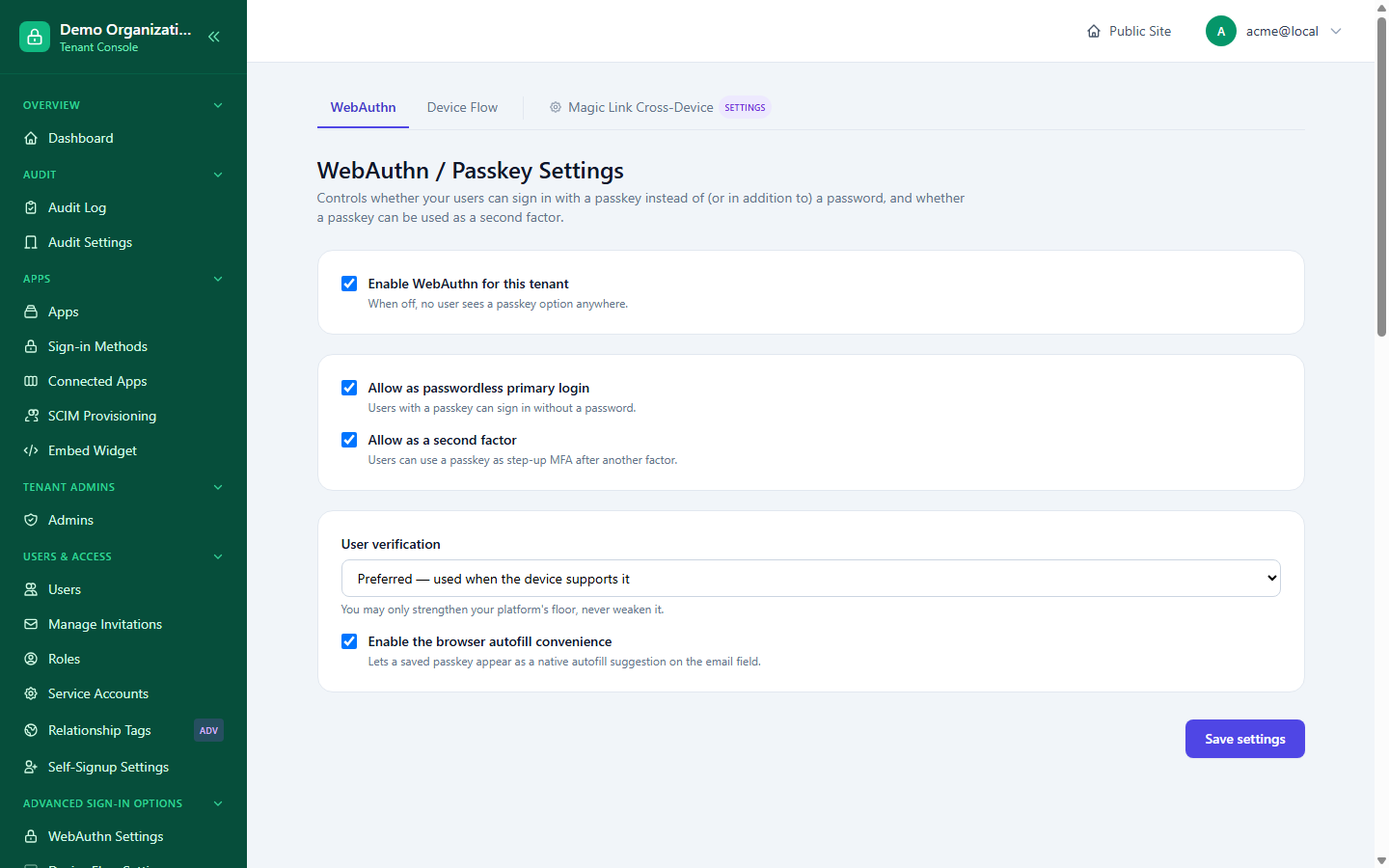
This is the tenant-wide behavior switch for the WebAuthn connector; whether it's approved and scoped to a specific app is still governed separately by Apps & Connectors.
Device Flow Settings
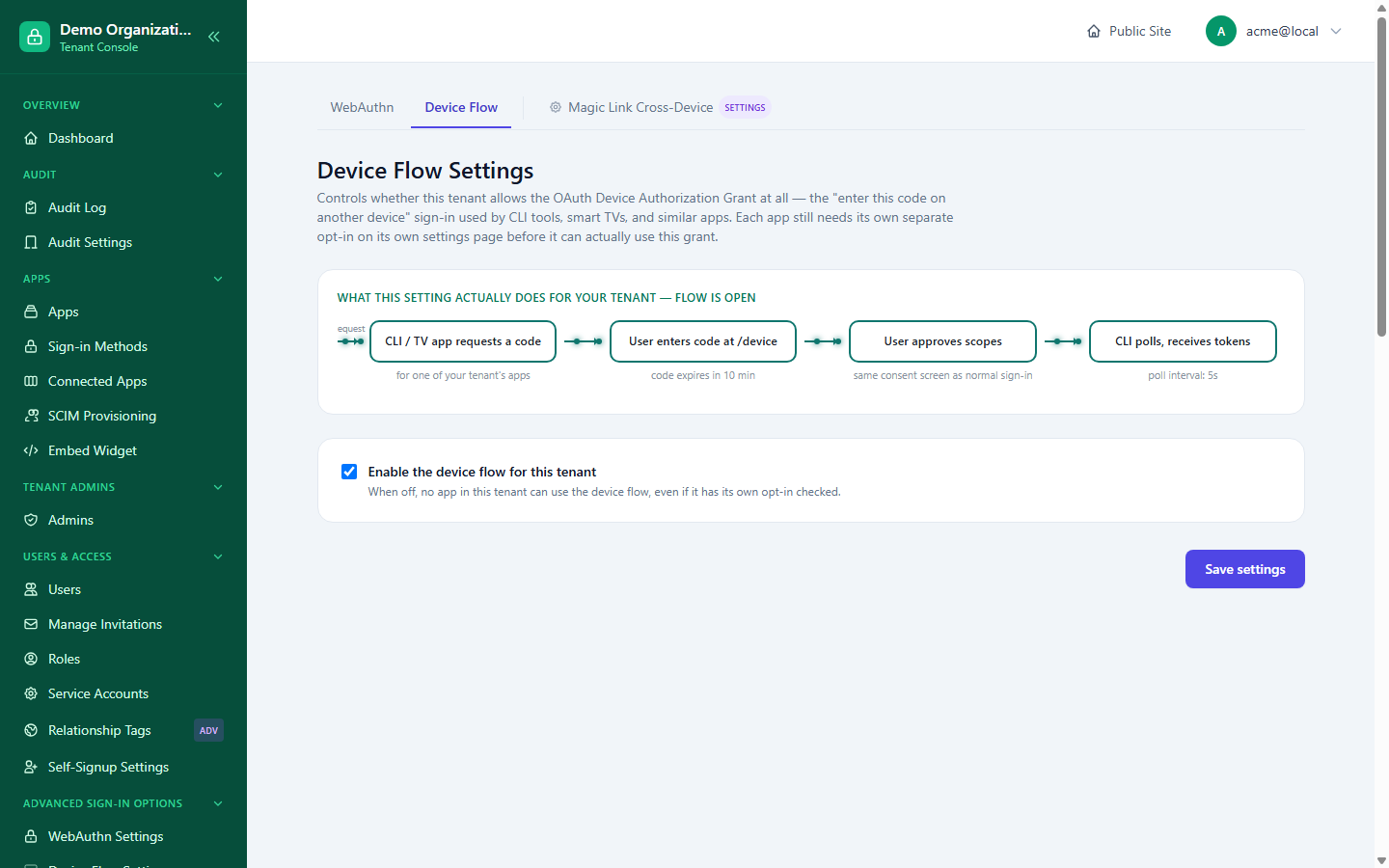
The tenant-wide on/off switch for the OAuth device authorization grant (also covered from the app side in Session & Token Policy). The page shows exactly what the flow does end to end: a CLI or TV app requests a code, the user enters that code on another device (the code expires in 10 minutes), approves the requested scopes on the same consent screen a normal sign-in uses, and the original app polls for tokens every 5 seconds until it's approved. Turning this off for the tenant blocks the grant for every app, even one that has its own opt-in checked.
Magic Link Cross-Device Settings
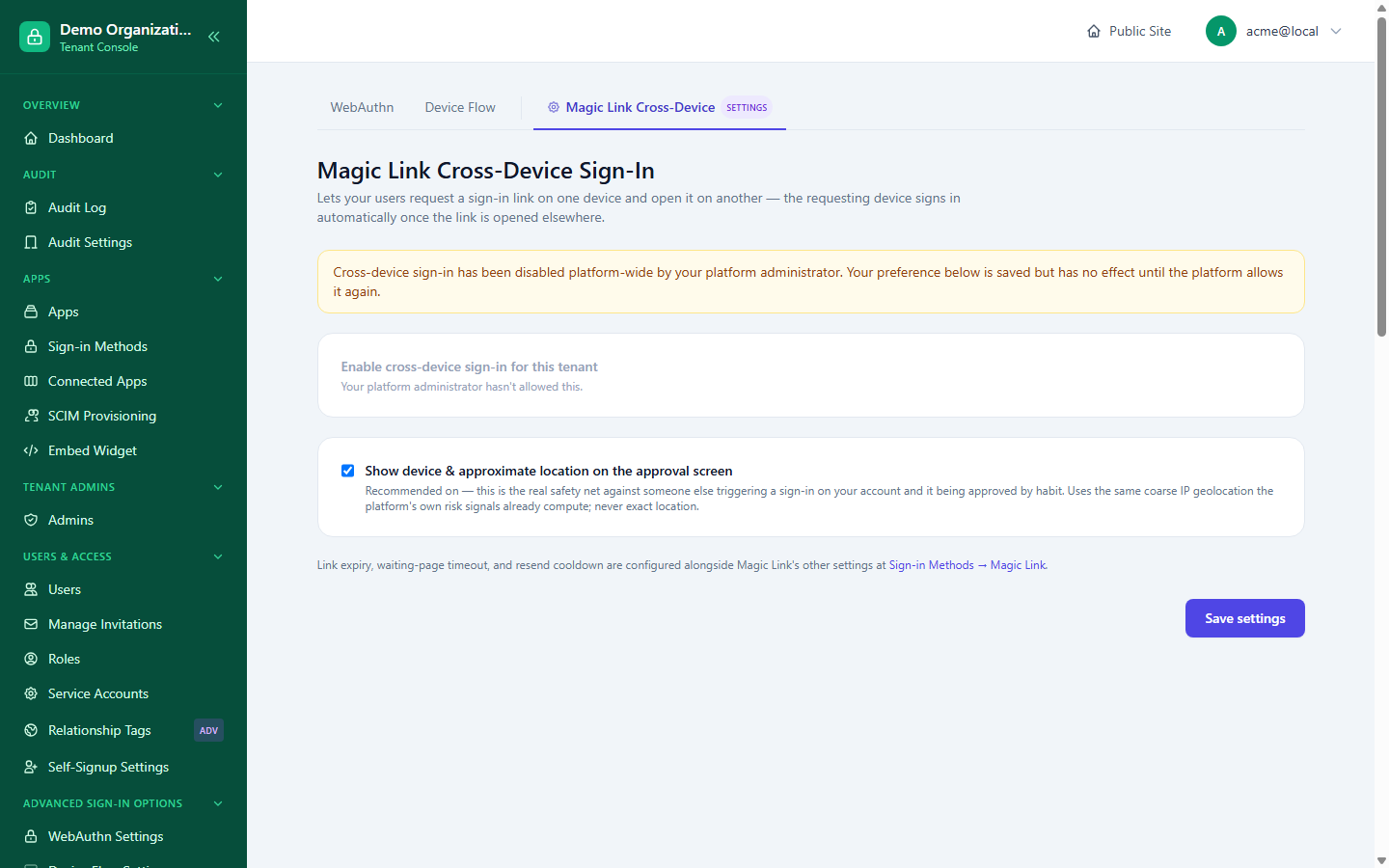
Lets a user request a magic sign-in link on one device and open it on another — the requesting device (e.g. a desktop mid-sign-in) completes automatically once the link is opened elsewhere (e.g. tapped from the email on their phone). Two controls:
- Enable cross-device sign-in for this tenant — like other tenant-wide toggles here, only takes effect if the platform allows it; if the platform has disabled it instance-wide, this tenant's own preference is still saved but has no effect until the platform re-enables it, and the page says so plainly rather than pretending the toggle works.
- Show device & approximate location on the approval screen (recommended, on by default) — the real safety net against someone else triggering a sign-in on your account and it getting approved out of habit; uses the same coarse IP geolocation the platform's own risk signals already compute, never an exact location.
Link expiry, the waiting-page timeout, and the resend cooldown are configured alongside Magic Link's other settings at Sign-in Methods → Magic Link, not on this page.
Related reading
- Apps & Connectors — the three-layer approval model these tenant-wide toggles sit above.
- MFA & Recovery — where a passkey's role as a second factor is paired against other sign-in methods.
- Session & Token Policy — device flow's full behavior.