MFA & Recovery
This page covers your organization's multi-factor authentication policy — which methods can pair with which sign-in methods, what happens when someone loses access to their second factor, and how admin-assisted resets are reviewed. All of it sits underneath a platform-set ceiling (the "Floor") your organization can only tighten, never loosen — see How LoginLink Works.
Method Rules — which second factors apply to which sign-in method
Console → MFA & Recovery → Method Rules is a matrix: for each login method (password, a specific social/OAuth provider, SAML, etc.), which MFA methods are required or offered after it. The platform owner sets the ceiling per login method; your organization can only narrow it:
- You can pick any subset of what the platform allows for a given login method.
- You can empty a row entirely — "no MFA after this login method for our users."
- You cannot add a method the platform didn't already allow for that row, and you cannot populate a row the platform left empty (an empty platform row means "no MFA here, period," not "tenant's choice").
A specific app can narrow this further still, on top of your organization's own matrix — see Apps & Connectors.
MFA behavior tuning
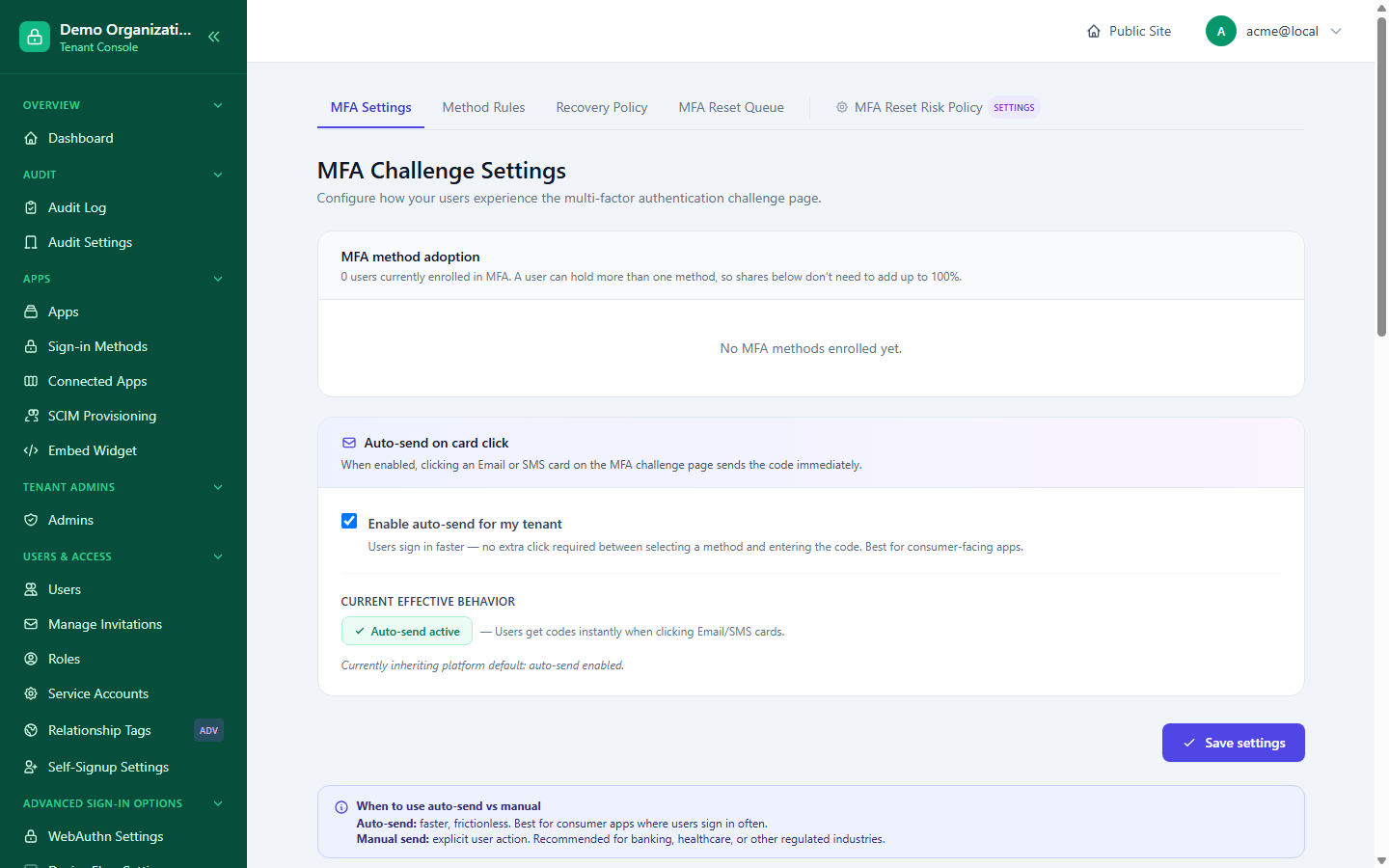
Console → MFA Settings currently controls one UX tunable: whether an MFA challenge is auto-sent the moment a user clicks their preferred method's card, versus waiting for an explicit "Send code" action. Like everything else here, this only takes effect if the platform has allowed auto-send at all — if the platform has it off, your organization's own setting can't turn it on. The page also shows current MFA method adoption across your organization's users.
Recovery — what happens when a second factor isn't available
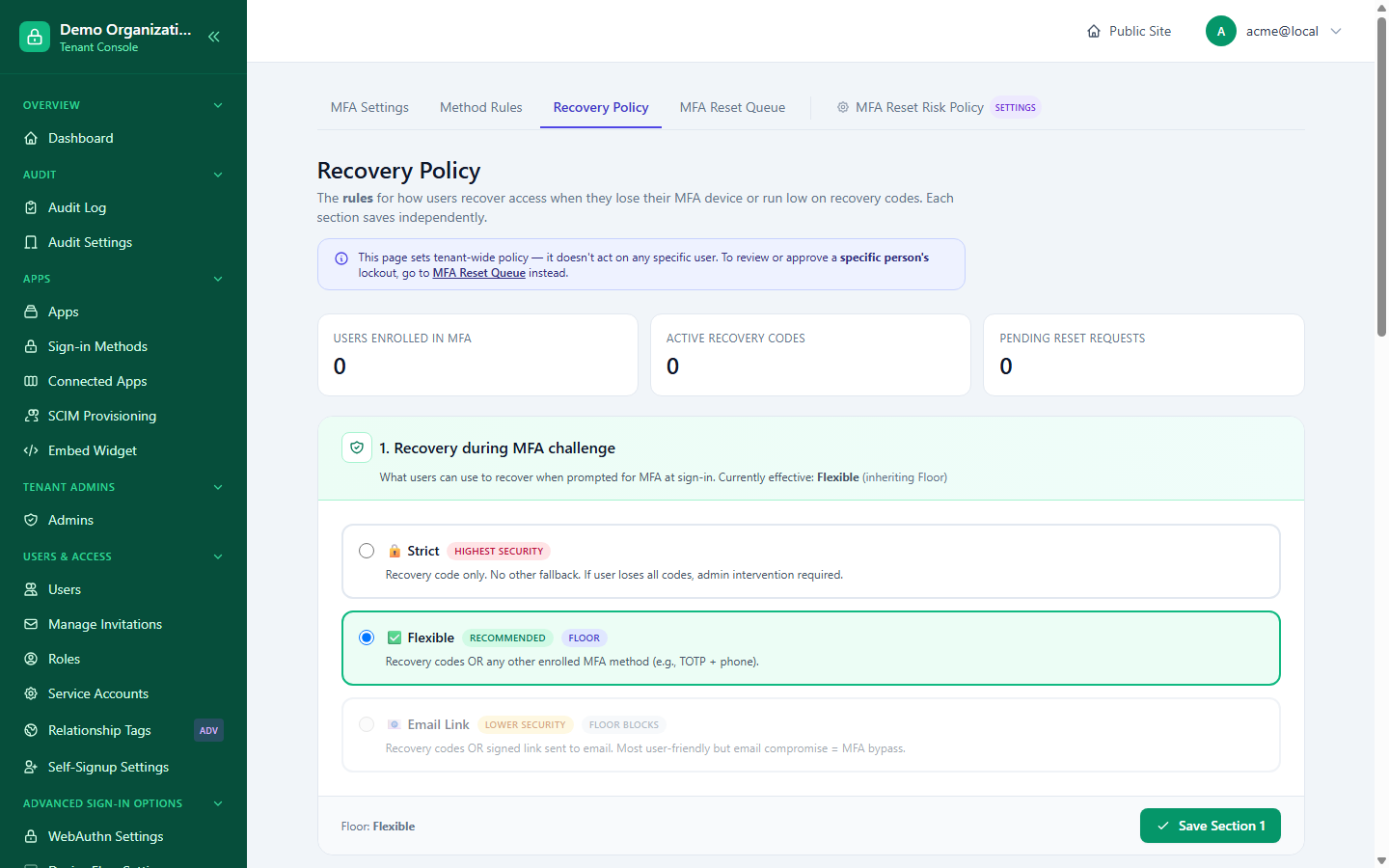
Console → MFA & Recovery → Recovery Policy has three independent sections, each saved separately:
1. Recovery mode during a challenge
How a user can get past an MFA challenge if they can't complete it normally:
| Mode | Behavior |
|---|---|
| Strict | No fallback — the user must complete the MFA method as configured. |
| Flexible (default) | The user can fall back to an alternate enrolled method. |
| EmailLink | The user can request a recovery link by email. |
Which modes you're even allowed to pick from depends on the platform's own ceiling for this setting — the strict-only Floor/Override rule applies here too.
2. Exhaustion policy — when every recovery option is used up
What happens when a user has no working MFA method and no recovery option left:
| Policy | Behavior |
|---|---|
| Strict | The user must contact an administrator directly — no self-service path at all. |
| Admin Reset (default) | The user submits a request; an admin reviews and approves or denies it (see below). |
| Self-Service | The user can verify via an emailed link without any admin involvement. |
Unlike recovery mode, this policy has no platform Floor — your organization decides it freely.
3. Low-codes warnings
When a user's stock of MFA recovery codes runs low, three independent thresholds control escalating warnings — a banner (earliest, most codes remaining), an interstitial (a harder-to-miss page), and an email (last resort, fewest codes remaining). Each threshold has a platform-set floor (the least-permissive value the platform requires warning at) and must stay ordered: banner ≥ interstitial ≥ email.
Reviewing MFA reset requests
Only relevant when your exhaustion policy is Admin Reset. Console → MFA & Recovery → MFA Reset Queue is the queue, with tabs for pending / approved / denied / expired / canceled / all. Each pending request shows a risk badge (LOW / MEDIUM / HIGH) computed from the same kind of signals as login risk scoring.
Opening a request from the queue shows the requester's context, their stated reason, risk signals, IP/user-agent/geolocation, and their prior reset history — everything you'd want before deciding:
- Approve — optional notes; the user receives a recovery link by email.
- Deny — requires a public note of at least 20 characters, since the user sees it and deserves a real explanation, not a one-word rejection.
Related reading
- How LoginLink Works — the Floor/Override model referenced throughout this page.
- Session & Token Policy — trusted devices, which reduce how often MFA is asked for at all.
- Apps & Connectors — narrowing MFA pairing for one specific app.