Team and sign-in
People sign in through your LoginLink organization. PayLink decides who is let in, and with which role.
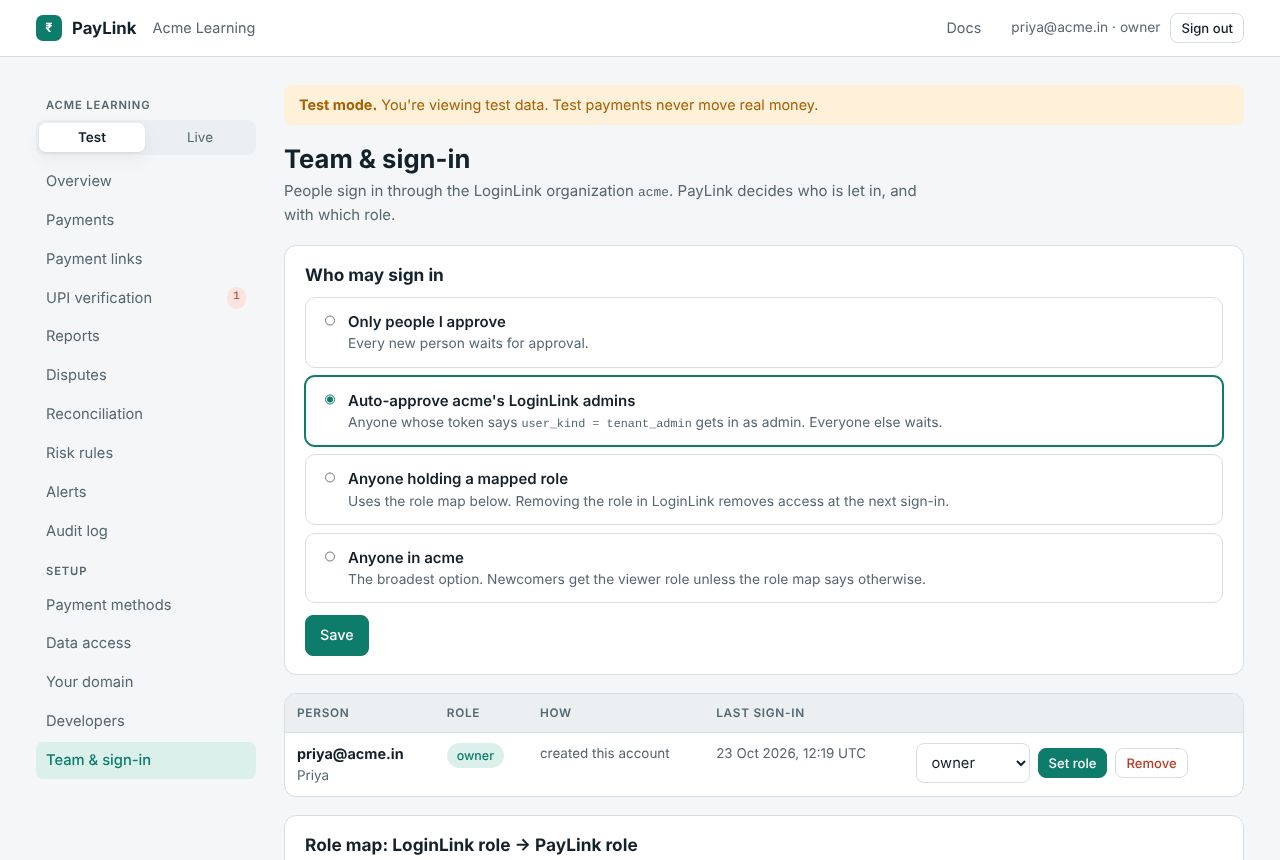
Who may sign in
| Mode | |
|---|---|
| Only people I approve | Every new person waits for approval. |
| Auto-approve the organization's LoginLink admins (default) | Anyone whose token says user_kind = tenant_admin gets in as admin. Everyone else waits. |
| Anyone holding a mapped role | Uses the role map. Removing the role in LoginLink removes access at the next sign-in. |
| Anyone in the organization | The broadest. Newcomers get the viewer role unless the role map says otherwise. |
People
Everyone who signed in or asked to: email, name, role (or Waiting), how they got in (created this account, let in automatically, approved by whom), last sign-in. Owners and admins can Approve with a role, Set role, Decline or Remove. You can't change your own role or remove yourself, only an owner can make someone an owner, and the last owner can't be removed or demoted. See roles.
Role map: LoginLink role → PayLink role
Used by "Anyone holding a mapped role" and "Anyone in the organization". Create roles in LoginLink (e.g. accounts), give them to people there, and map them here (e.g. accounts → finance).
Scripts: GET /api/tenant/team, PUT /api/tenant/team/admission, POST /api/tenant/team/members/{id}, PUT /api/tenant/team/role-map. Keys can't make owners.