Payment methods
Start today with free PayLink UPI. Add a gateway for cards and net banking whenever you're ready: bring your own account, or get one through the platform. Your integration never changes.
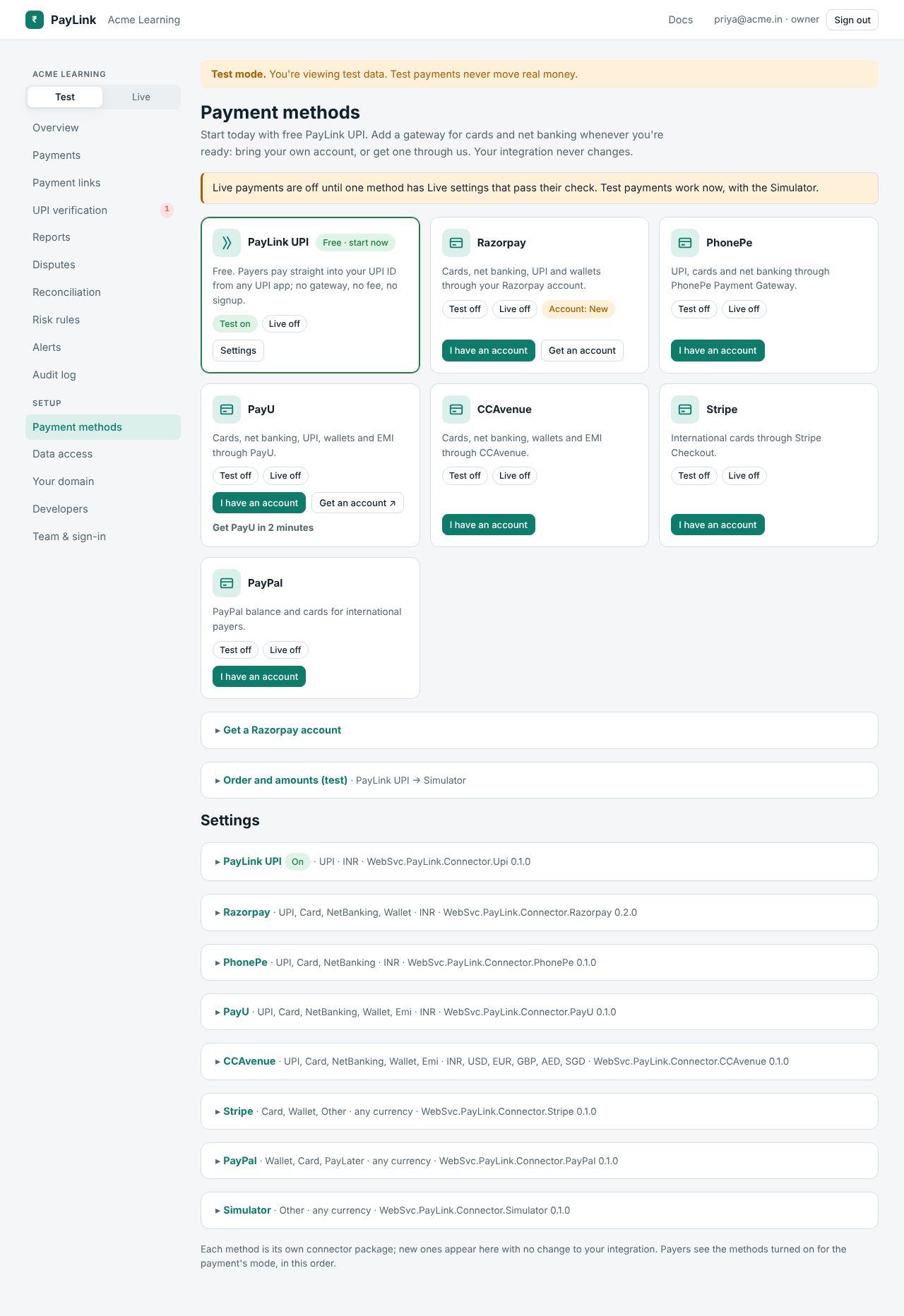
The cards
One card per method the platform offers, PayLink UPI first: what it takes, whether it's on in Test and Live, and the state of any account request. Buttons:
- Turn on (PayLink UPI), I have an account (gateways) or Settings (when on): opens the method's settings below.
- Get an account (when the platform runs a programme for that gateway).
Settings
Each method has separate Test and Live settings, folded away under Settings. Fill in the fields (see each method's page for where to find them), then:
- Check and turn on: PayLink checks the settings with the provider (e.g. a test API call) and turns the method on only if the check passes. The result and time of the last check are shown.
- Save without turning on: keep them for later.
- Turn off.
Secrets are stored encrypted and shown masked (••••••••••ab12 saved; type to replace). Leave a secret field empty to keep the saved value.
For gateways that send webhooks, the webhook / notification URL for each mode is shown, e.g. https://pay.example.com/hooks/acme/razorpay/live. Paste it into the gateway's dashboard.
Order and amounts
See routing and failover.
Going live
Live payments need at least one method with Live settings that passed their check. Until then the page says so, and sk_live_ keys get live_not_ready.