Overview
The console's first page.
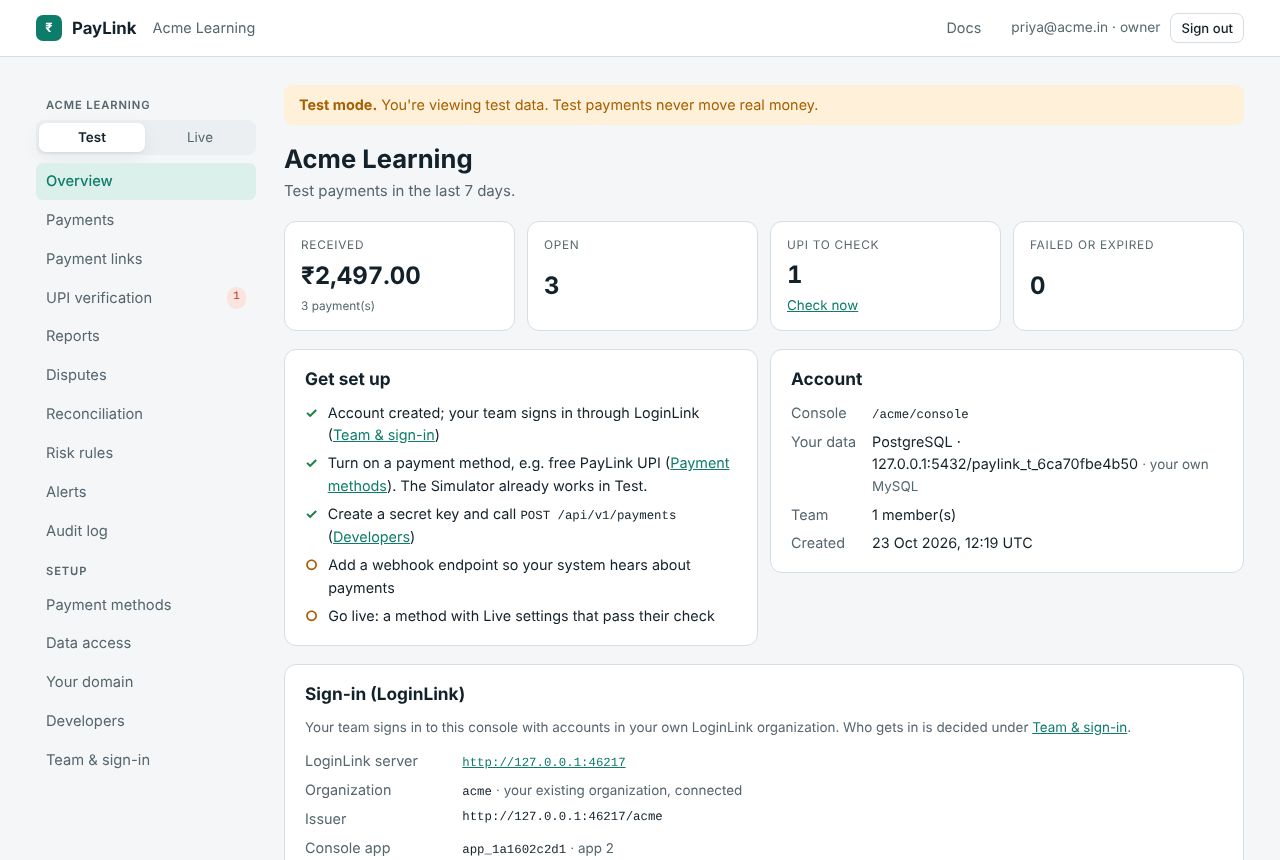
- Last 7 days (for the current mode): received amount and count, open payments, UPI payments waiting for you (with Check now), failed or expired, on hold.
- Get set up: a checklist: account created; a payment method turned on (e.g. free PayLink UPI); a secret key and a first
POST /api/v1/payments; a webhook endpoint; going live (a method with Live settings that pass their check). - Account: console address, where your data lives, team size, when it was created. A warning if PayLink couldn't register itself as an API in your LoginLink organization.
- Sign-in (LoginLink): the LoginLink server, your organization's slug (created by PayLink or connected), the issuer, the console app's client ID, your sign-in page (
/{slug}/login), whether a management credential is stored (so PayLink can keep the app's sign-in methods and redirect URLs right), and whether PayLink is registered as an API. - Recent payments: the latest eight.
The same summary is available to scripts at GET /api/tenant/overview.