Developers
Two kinds of keys, for two jobs, plus webhooks and a log of every API call. Keys are shown once; PayLink keeps only a hash. Owners, admins and developers can create and revoke them.
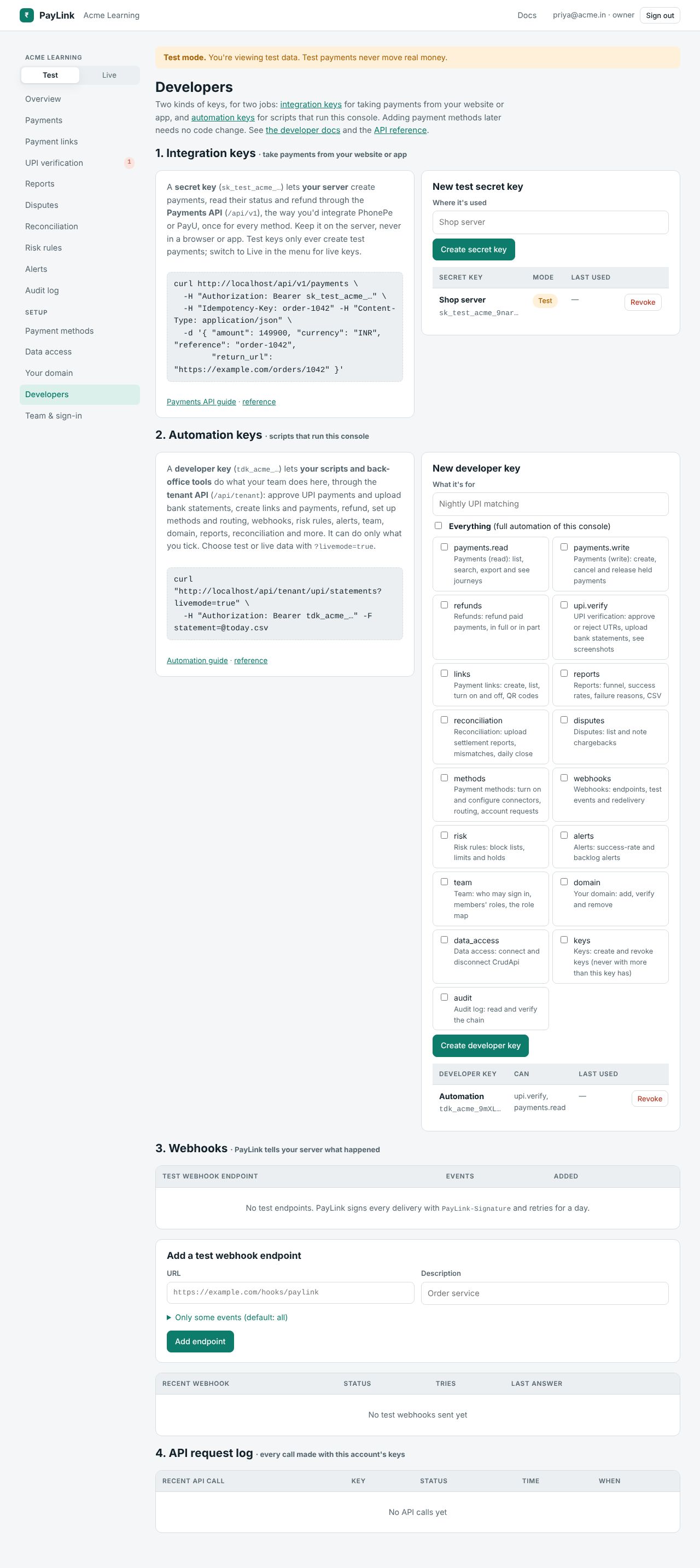
1. Integration keys: take payments from your website or app
A secret key, sk_test_{slug}_… or sk_live_{slug}_…, lets your server create payments, read their status, refund, make payment links and read reporting data through the Payments API (/api/v1). Create it in the mode you're in (switch to Live for a live key). Keep it on the server: never in a browser or a mobile app.
2. Automation keys: scripts that run this console
A developer key, tdk_{slug}_…, lets your scripts and back-office tools do what your team does here, through the automation API (/api/tenant). It can do only what you tick; Everything ticks every capability for full automation. It can't take payments from payers; for that use an integration key.
| Capability | Lets the key |
|---|---|
payments.read | List, search, export and see journeys |
payments.write | Create, cancel and release held payments |
refunds | Refund paid payments, in full or in part |
upi.verify | Approve or reject UTRs, upload bank statements, see screenshots |
links | Create, list, turn on and off links, QR codes |
reports | Funnel, success rates, failure reasons |
reconciliation | Upload settlement reports, see mismatches and the daily close |
disputes | List and note disputes |
methods | Turn on and configure methods, routing, account requests |
webhooks | Endpoints, test events and redelivery |
risk | Risk rules |
alerts | Alerts |
team | Who may sign in, members' roles, the role map |
domain | Add, verify and remove your domain |
data_access | Connect and disconnect CrudApi |
keys | Create and revoke keys, never with more than this key has |
audit | Read and verify the audit log |
3. Webhooks
PayLink tells your server what happened. Add endpoints separately for Test and Live (Live needs https): a URL, a description, and optionally only some events. Each endpoint gets a signing secret (whsec_…, shown once). Send test sends a webhook.test event. Recent webhooks shows each delivery's status, tries and your server's last answer, with Send again. See webhooks.
4. API request log
The last calls made with this account's keys (no bodies): method and path, idempotency key, key name, status, error code, time taken, when.