Payment links
A page you can share for payments without building anything: send it in a message, print its QR code at the counter, or put a Pay button on your site. Each payment from a link is an ordinary payment, with the same webhooks and reports. Links made in Test are test links.
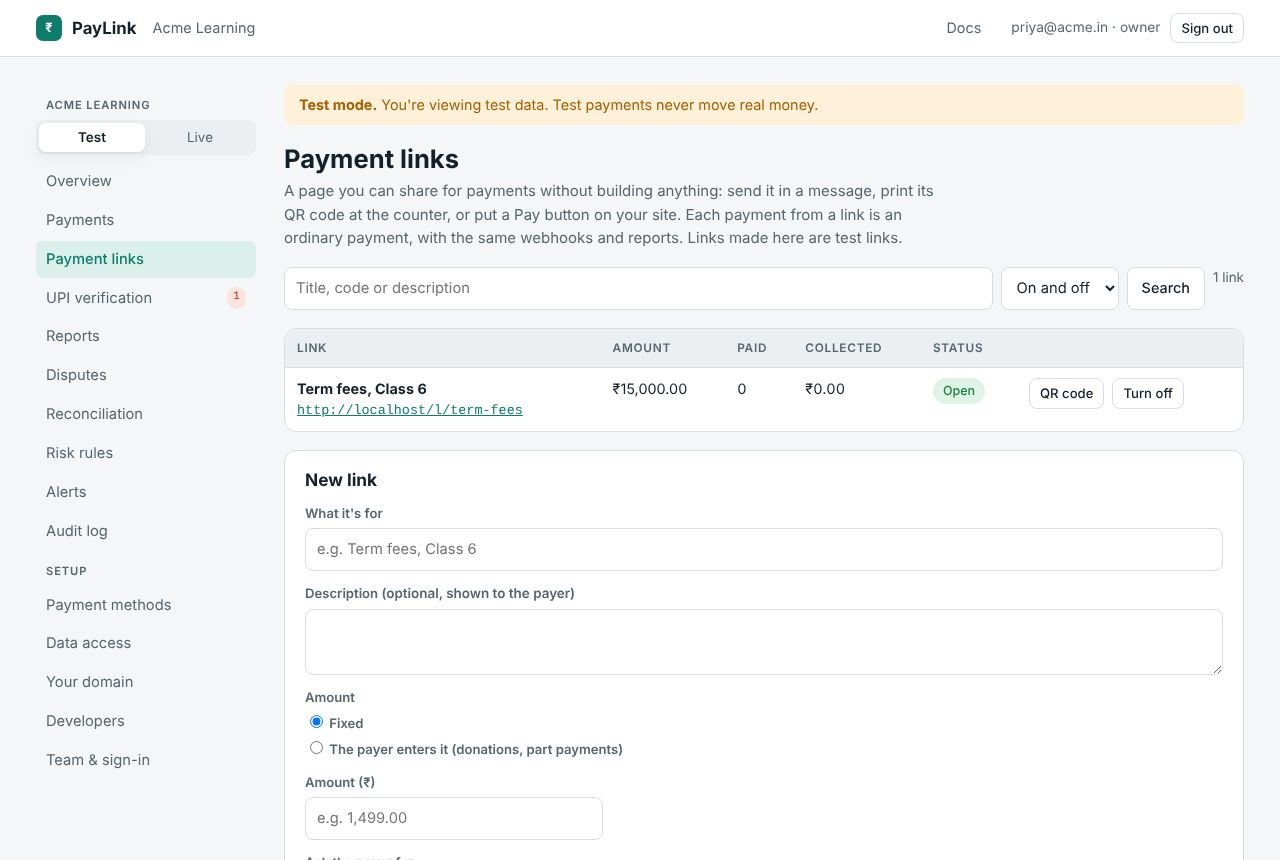
A new link
| Field | |
|---|---|
| What it's for | Shown to the payer and used as the payment's description. |
| Description | Optional, shown on the link's page. |
| Amount | Fixed, or the payer enters it (donations, part payments) with an optional minimum and maximum. |
| Ask the payer for | Email, phone (required when asked). |
| Stop after this many payments | 1 makes a one-time link. |
| Last day | The link closes at the end of that day (India time). |
| Link code | Optional, a-z, 0-9 and -, unique on the platform: /l/term-fees. Generated if left empty. |
| After paying, send the payer to | Optional return URL. |
The list
Each link shows its URL, amount (or "Payer chooses"), payments so far (of the maximum), amount collected and status: Open, Closed (reached its maximum or last day) or Off. Download its QR code (SVG, for printing), or Turn off / Turn on. Search by title or code, filter by on/off, 25 a page.
The payer's page
/l/{code} shows your business, what it's for, the amount (or an amount field) and the details you asked for, then goes to checkout. A link that's off or closed says it's no longer taking payments.
A Pay button
See Pay button. Links can also be made with the API.