Platform API
Automates the platform console from scripts and products. Base path /api/admin.
Keys
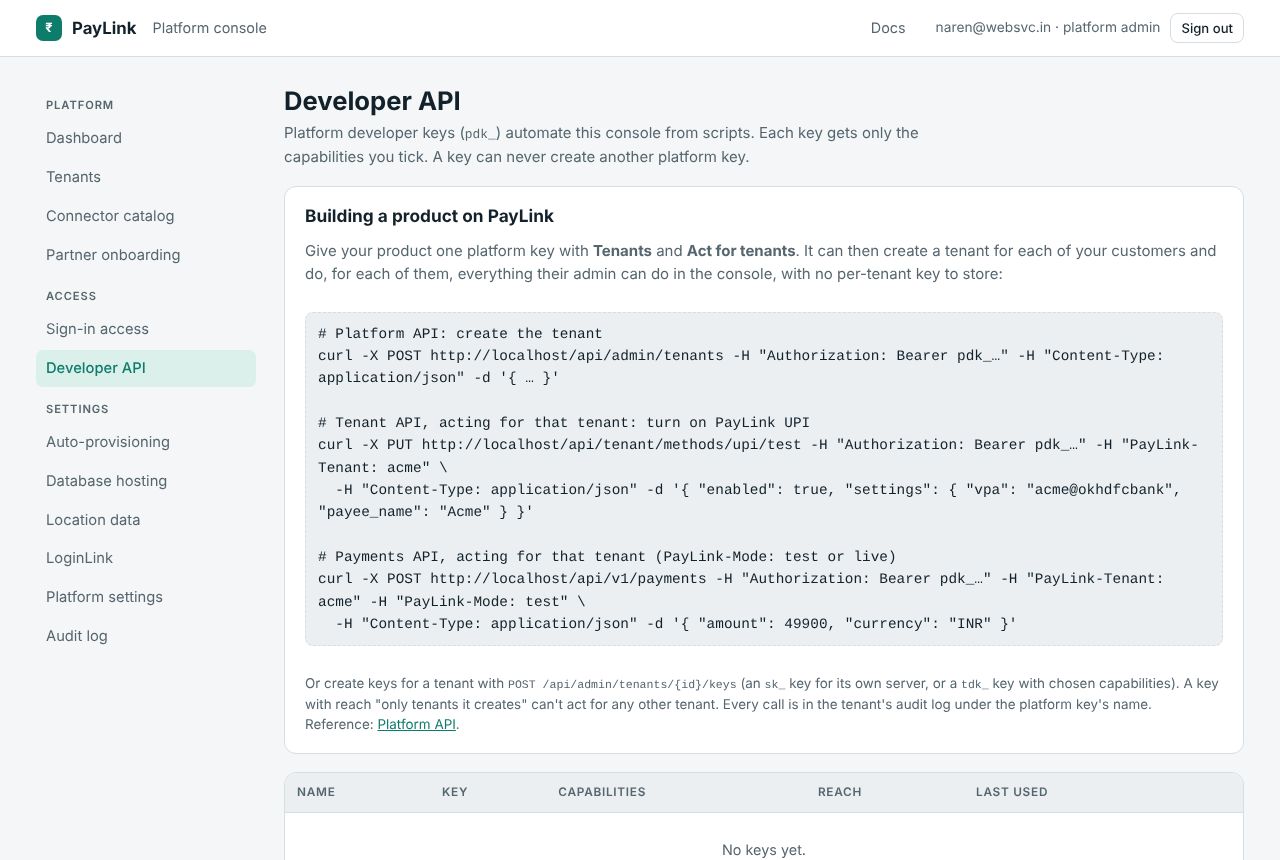
Create a platform developer key in Admin → Developer API: name it, tick its capabilities, and optionally limit it to the tenants it creates (reach), cap how many tenants it may create, and set an expiry. The key (pdk_…) is shown once; PayLink stores only its SHA-256 hash. Platform keys are created and revoked only from a signed-in admin session, so a leaked key can never mint itself a replacement.
Authorization: Bearer pdk_…
| Capability | Lets the key |
|---|---|
Tenants | GET /tenants (q, take), GET /tenants/{id}, PATCH /tenants/{id} (suspend or reactivate), POST /tenants (also needs LoginLink) |
LoginLink | Connect a LoginLink organization when creating a tenant |
TenantOperations (Act for tenants) | Everything a tenant admin can do, for any tenant in reach: PayLink-Tenant: {slug} on /api/tenant and /api/v1, and GET/POST /tenants/{id}/keys, DELETE /tenants/{id}/keys/{key_id}. See building on PayLink. |
AutoProvisioning | GET/POST /auto-provisioning/approvals, DELETE /auto-provisioning/approvals/{organization} |
Audit | GET /audit (take, skip) |
Dashboard | GET /dashboard |
DatabaseHosting, Settings | Reserved for read routes |
A key with reach "only tenants it creates" sees, and acts for, only those; any other tenant is 404 not_found.
Tenants
# List (q searches name, address and LoginLink organization)
curl -H "Authorization: Bearer $KEY" "https://pay.example.com/api/admin/tenants?q=acme"

# Create, connecting the tenant's existing LoginLink organization
curl -X POST -H "Authorization: Bearer $KEY" -H "Content-Type: application/json" \
  https://pay.example.com/api/admin/tenants -d '{
    "name": "Acme Learning",
    "slug": "acme",
    "loginLink": { "organization": "acme", "clientId": "…", "clientSecret": "…" },
    "database": { "mode": "sqlite" }
  }'
loginLink is a management credential from that organization (LoginLink Console → API Access) with Register apps and Manage APIs. database.mode is sqlite, auto (needs database hosting) or byo with "connectionString": "Server=…;Database=…;Uid=…;Pwd=…" pointing at an empty database (add "engine": "postgresql" for PostgreSQL: Host=…;Database=…;Username=…;Password=…). The organization's admins are let in when they first sign in to /{slug}/console.
{
  "id": 3, "slug": "acme", "name": "Acme Learning", "status": "active",
  "database": { "mode": "sqlite", "engine": "Sqlite", "display": "SQLite · tenant_acme_k3f9.db" },
  "loginLink": { "organization": "acme", "issuer": "https://loginlink.websvc.in/acme", "mode": "existing", "apiRegistration": "ok" },
  "consoleUrl": "/acme/console", "createdAt": "2026-10-19T18:02:11.123Z", "createdVia": "api"
}
# Suspend or reactivate
curl -X PATCH -H "Authorization: Bearer $KEY" -H "Content-Type: application/json" \
  https://pay.example.com/api/admin/tenants/3 -d '{ "status": "suspended" }'
Tenants' keys
# An integration key for the tenant's own server
curl -X POST -H "Authorization: Bearer $KEY" -H "Content-Type: application/json" \
  https://pay.example.com/api/admin/tenants/3/keys -d '{ "name": "Shop server", "kind": "secret", "livemode": false }'

# An automation key with chosen capabilities
curl -X POST -H "Authorization: Bearer $KEY" -H "Content-Type: application/json" \
  https://pay.example.com/api/admin/tenants/3/keys -d '{ "name": "UPI bot", "kind": "developer", "capabilities": ["upi.verify"] }'
The answer includes secret, shown this once. GET /tenants/{id}/keys lists keys without secrets; DELETE /tenants/{id}/keys/{key_id} revokes one. Both the tenant's and the platform's audit logs record it.
Auto-provisioning approvals
curl -H "Authorization: Bearer $KEY" https://pay.example.com/api/admin/auto-provisioning/approvals
curl -X POST -H "Authorization: Bearer $KEY" -H "Content-Type: application/json" \
  https://pay.example.com/api/admin/auto-provisioning/approvals -d '{ "organization": "shopnow", "note": "pilot" }'
curl -X DELETE -H "Authorization: Bearer $KEY" https://pay.example.com/api/admin/auto-provisioning/approvals/shopnow
Audit and dashboard
curl -H "Authorization: Bearer $KEY" "https://pay.example.com/api/admin/audit?take=100&skip=0"
curl -H "Authorization: Bearer $KEY" https://pay.example.com/api/admin/dashboard
Every API action is written to the platform audit log with the key's name as the actor.
Errors
| Status | error | |
|---|---|---|
| 400 | invalid_request | Missing or invalid field; the description says which. |
| 401 | invalid_token | No key, an unknown key, or a revoked or expired one. |
| 403 | insufficient_scope | The key lacks the capability. |
| 404 | not_found | No such tenant, or outside this key's reach. |
| 409 | conflict | Already exists. |
| 429 | quota_exceeded | The key's tenant-creation limit is used up. |
| 503 | setup_required | Setup isn't finished. |
Every request and answer is in the platform API reference.